Cohort Tree Manager +
Manage Organisations
One central place in Moodle to run users, organisational structures, enrolments, compliance and analytics — automatically synced from your user profile fields.
Mirror your real organisation as a tree, let Moodle profile fields (or your AD/SSO source) drive membership, bulk-enrol whole branches into courses, and report on completion across five built-in views — all from one block.
The problem today
In standard Moodle, cohorts are flat lists, enrolments are manual, and every reorganisation in HR or AD turns into a cleanup project for the LMS team. Compliance reporting means exporting CSVs and pivoting them by hand.
What changes with Cohort Tree Manager
Your real organisation lives inside Moodle as a tree. Users land in the right node automatically from profile fields, get the right courses with the right course-type tag, and everything rolls up into five live reports — per node, per course, per user.
Core capabilities
Everything from one blockSingle command centre
Tree view, course manager, reports, virtual cohorts and settings — all behind one block, scoped to each user's role.
Profile-field auto-sync
Map up to four profile fields (e.g. Institution → Department → City → Team) — the tree, cohorts and memberships build and maintain themselves on cron.
Bulk enrolment with basket
Pick nodes on the left, courses on the right, choose a role, confirm — recursive into child branches, with optional course-group creation.
Configurable course types
Define your own labels — Mandatory, Regulatory, Recommended, On demand — as coloured filter pills. Each course can carry a type, and units only see what they're enrolled into.
Five reports, one CSV away
Dashboard, Completion, User, Comparison and Trends — scoped to each role's subtree, with one-click CSV export and optional caching for big trees.
Delegated admin matrix
Assign Manager, Enroller or Reporter per node. Configure exactly what each role can do via the capability matrix — every action is delegatable.
What makes it unique
Not in standard MoodleReal org as a tree
Materialised-path hierarchy with unlimited depth. Act on a whole branch — enrol, report, manage members — in one operation.
Profile-driven membership
Map profile fields to tree levels. New users land in the right node on login; users who change department are transferred automatically — with optional enrolment preservation.
Direct members + virtual cohorts
Add users directly to a node even if no real cohort exists; the plugin creates and manages a virtual cohort in the background so course enrolment just works.
Comparison & trends out of the box
Compare units side by side, or watch completion rates over weeks, months, quarters — without exporting to BI.
How auto-sync works
5 steps · manual or fully on cronCreate nodes
Reads all profile-field combinations and creates missing nodes in the tree.
Verify users
Checks every user still matches their node based on current profile data.
Link cohorts
Creates and links Moodle cohorts to nodes that don't yet have one, using your naming pattern.
Sync users
Adds users to the right cohorts based on their profile-field values.
Transfer users
Moves users between nodes if their profile changed — keeping enrolments if you want to.
Five reports in the box
CSV export on every tabSubtree at a glance
Total / enrolled / completed / in progress / not started, completion-rate gauge, top cohorts, recent completions.
Per node, per course
Enrolled, Completed, In progress, Not started and a Completion % column — recursive into child nodes when you want it.
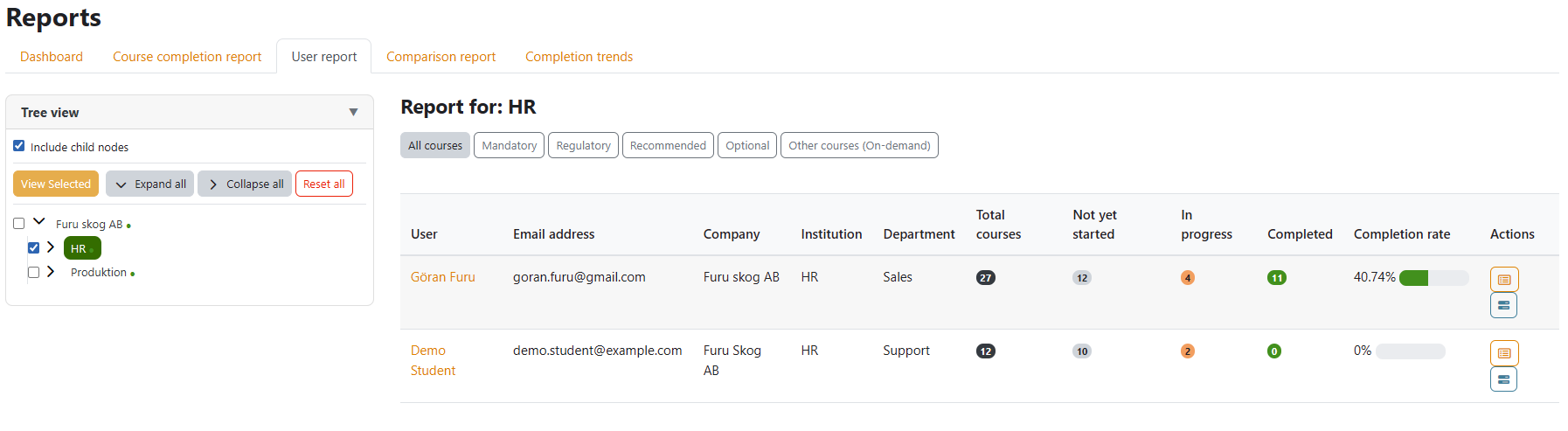
Per learner
Per-user breakdown across enrolled courses, including department, last access, completion totals.
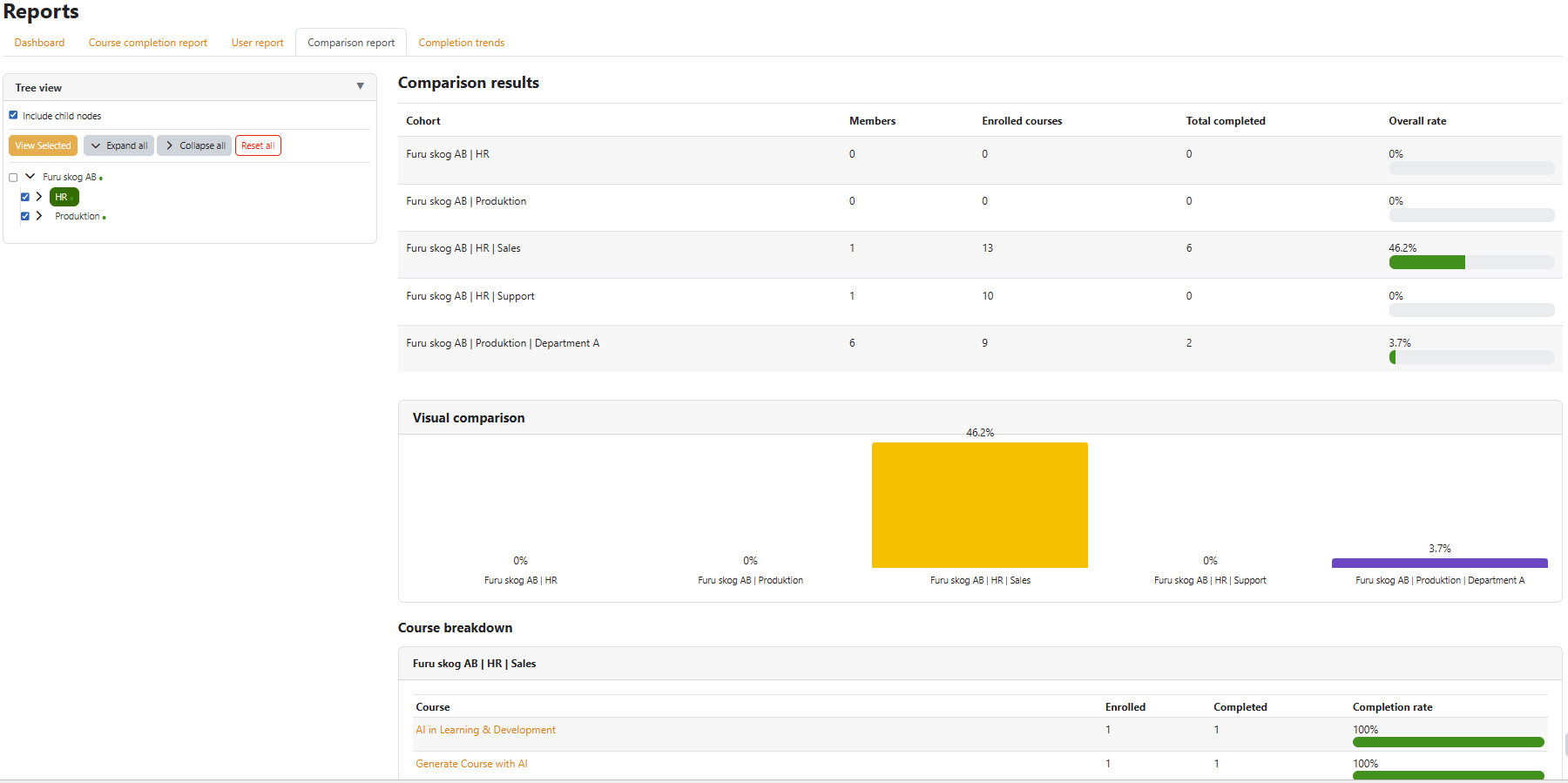
Units side by side
Tick multiple nodes in the mini-tree and compare every metric column-by-column.
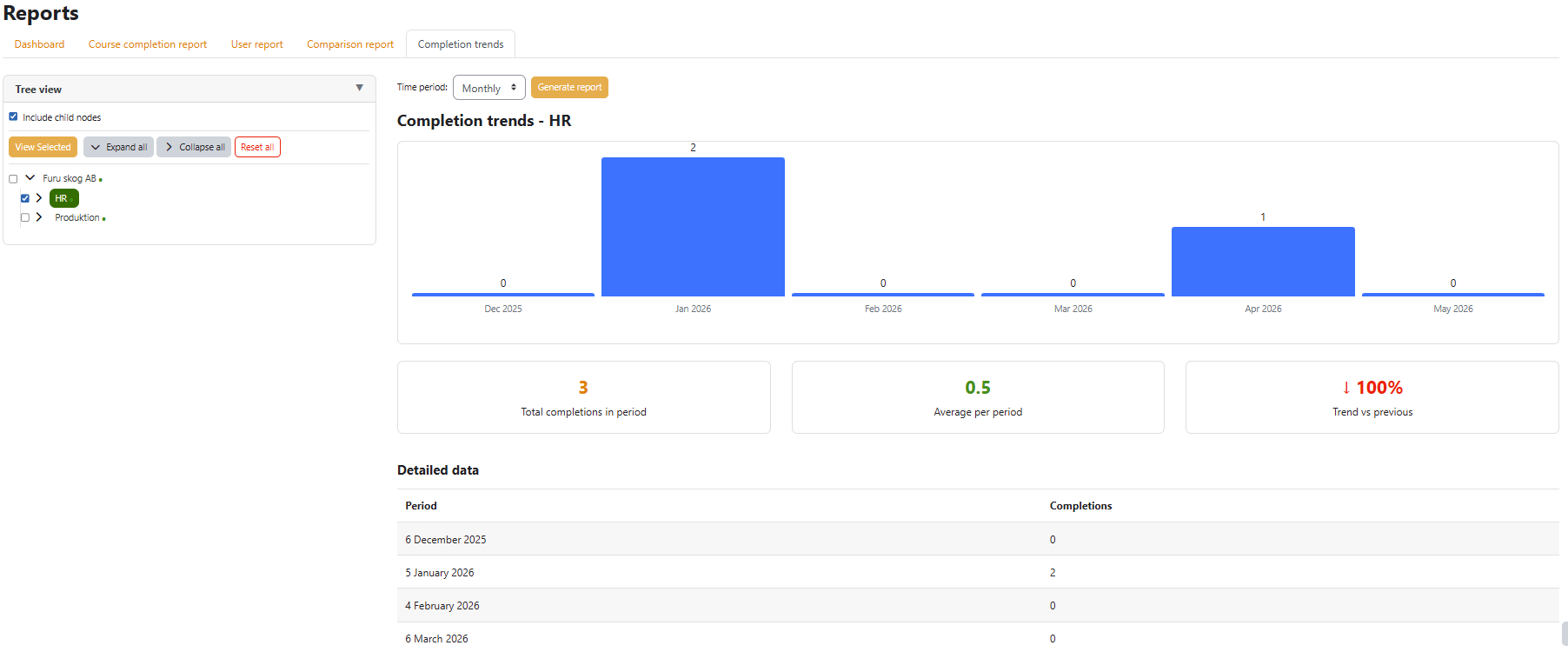
Over time
Completion rate as a line chart — weekly, monthly or quarterly — with a detailed data table below.
See it in action
Click any screenshot to enlarge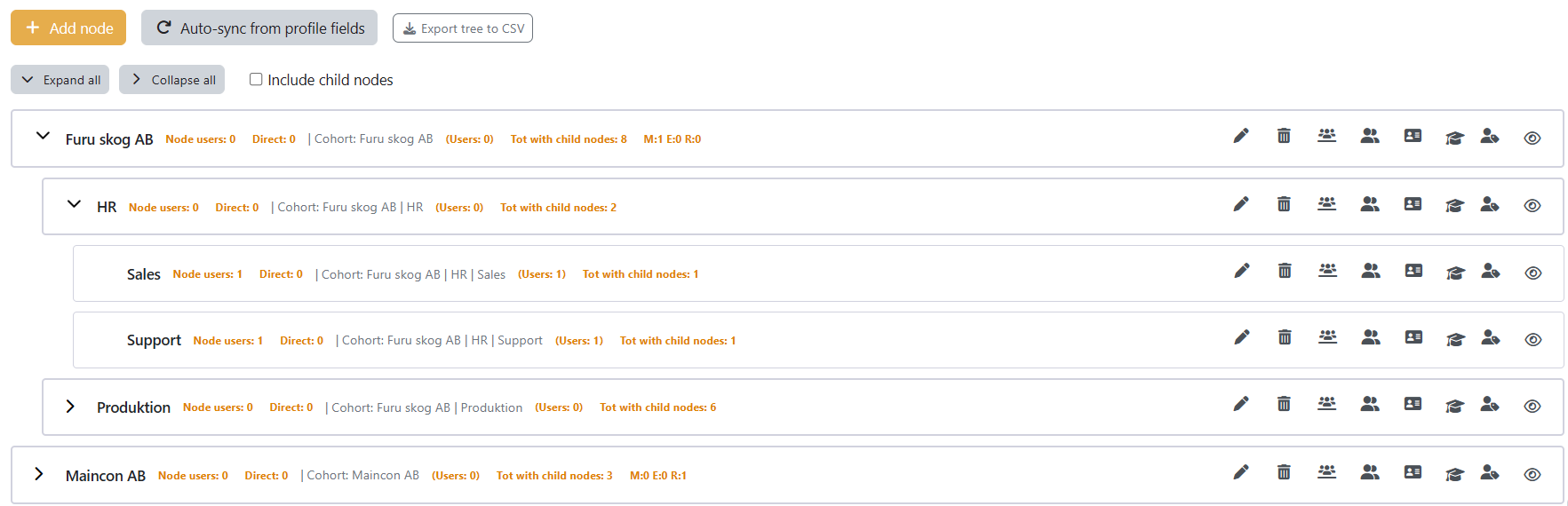
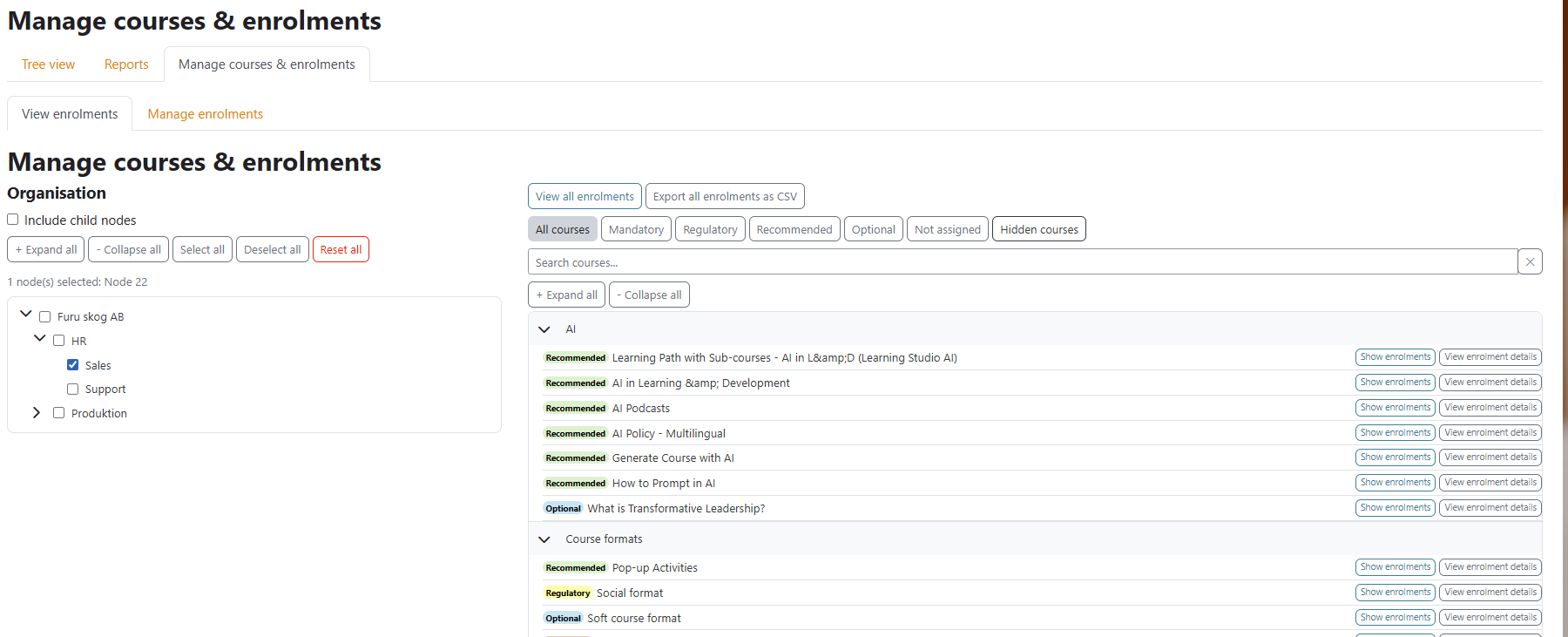
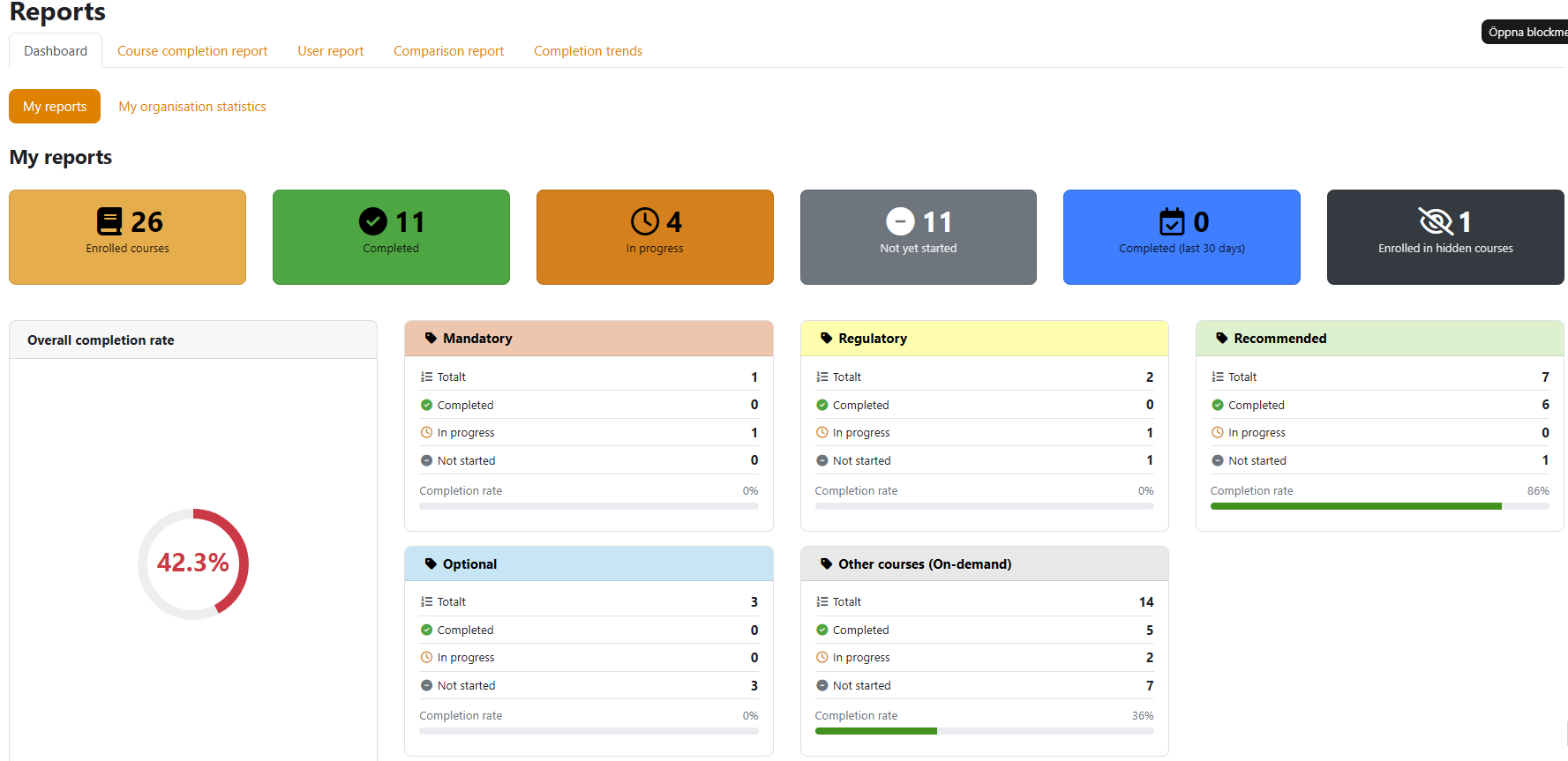
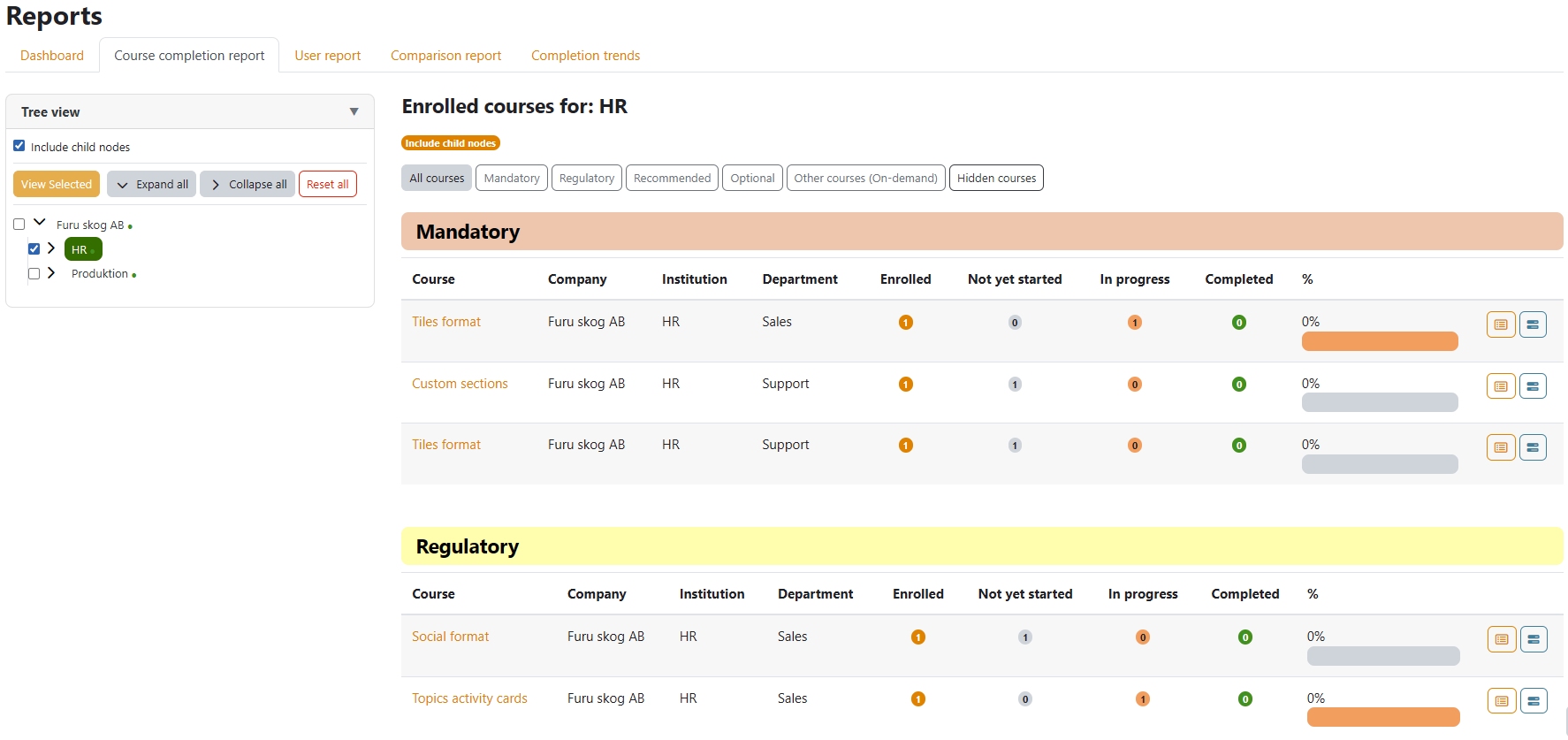
Built for the whole buying team
One product, three winsLess manual work, fewer exceptions
- Profile-field auto-sync — runs on cron at automation level 3
- One configurable capability matrix replaces ad-hoc role tweaks
- GDPR-compliant Privacy API; native Moodle cohort sync under the hood
Compliance you can prove
- Course types you define (Mandatory, Regulatory, Recommended, On demand)
- Five live reports per branch — including comparison and trends
- One-click CSV for auditors, no pivot table required
Lower risk, faster onboarding
- Org-wide visibility into learning health from day one
- Delegated administration to local team leads at zero risk
- Defensible compliance posture for audits and reviews
Built for production
See it on your own organisation
Book a 30-minute walkthrough — we'll model a slice of your real structure live in Moodle.